Your speed, however you travel.
A speedometer and trip recorder for walking, running, cycling, driving, buses, trains, boats and planes. It keeps recording with the screen off, and your trips back up locked to your own code. Free, with no account.
76 km/h, Auto reading Car, on a dial to 160
One dial, rescaled for every journey.
Real screens from the app on an Android phone, fed a simulated drive. The saved trips are samples.
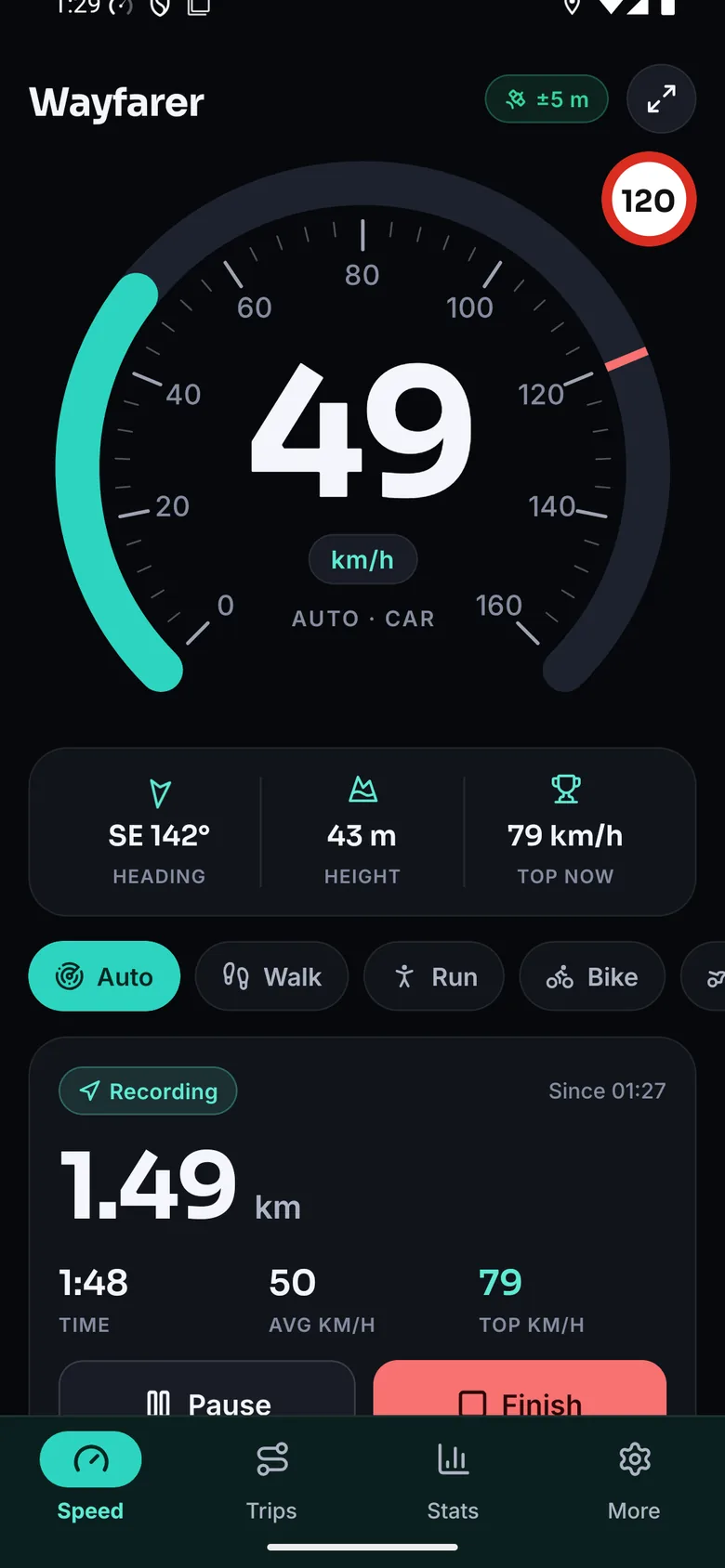
A drive recording. It carries on with the screen off; the red mark on the arc is your speed alert. Arc, Needle or Digits, dark or light.
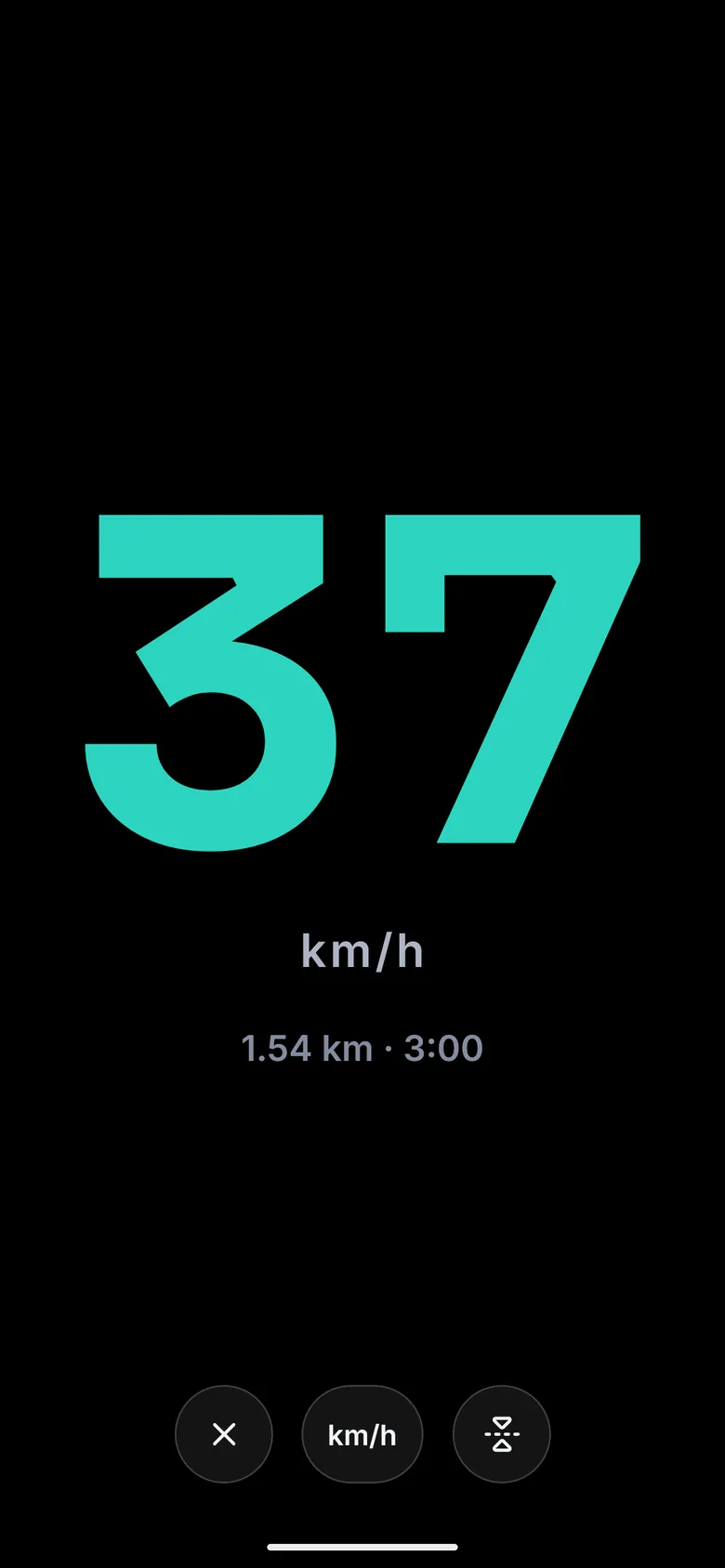
The big display. Mirror it and lay the phone under the windscreen at night.
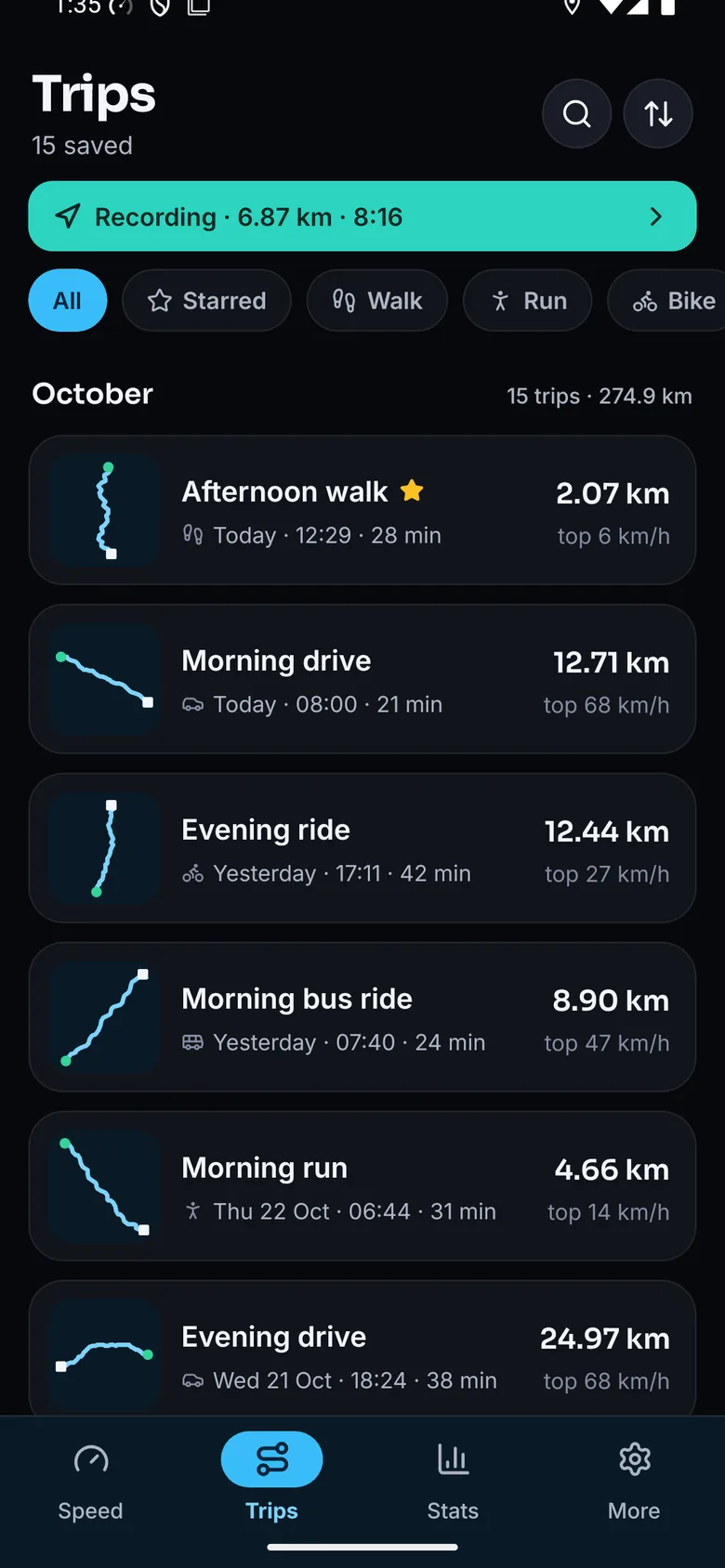
Every trip by month, each with the shape of its route.
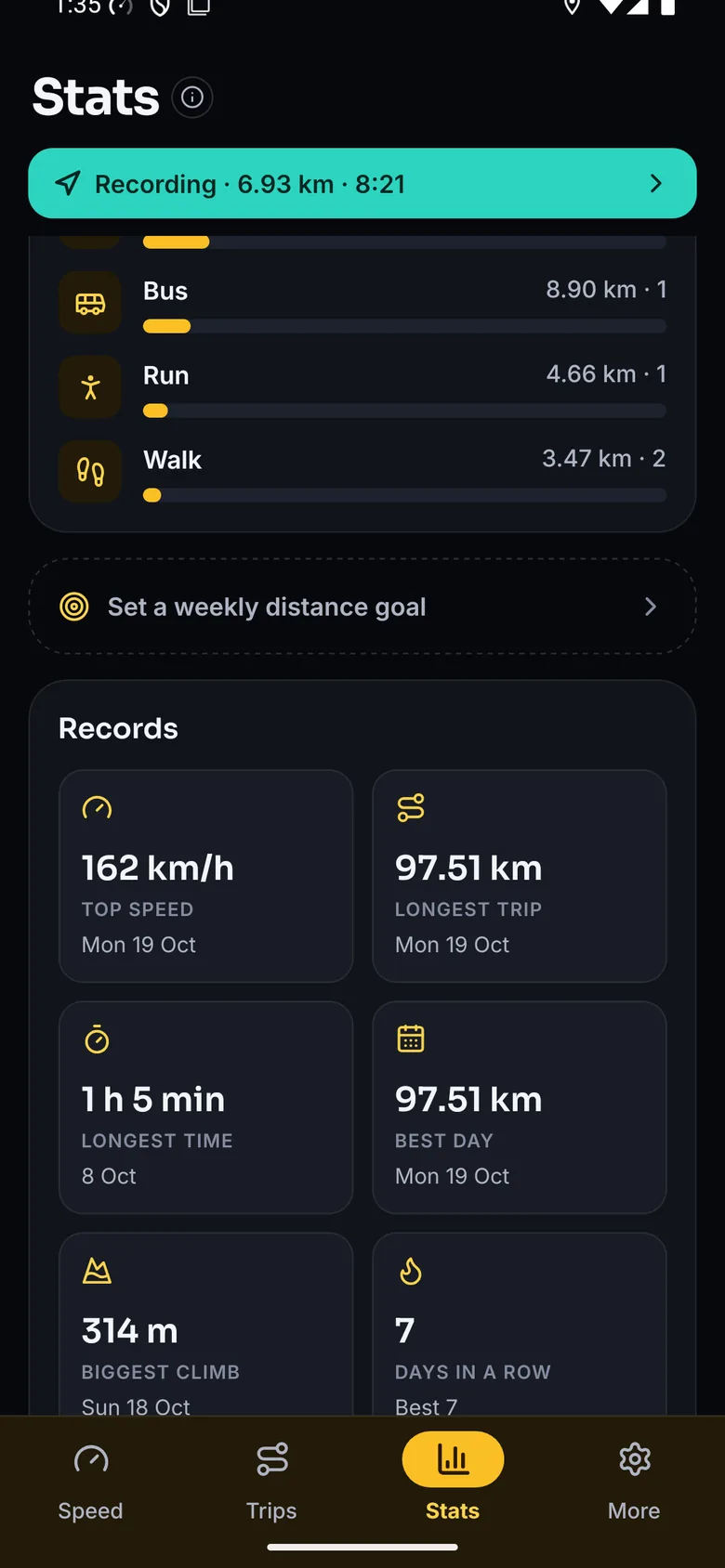
Totals by way of travel, records, days in a row and a weekly goal.
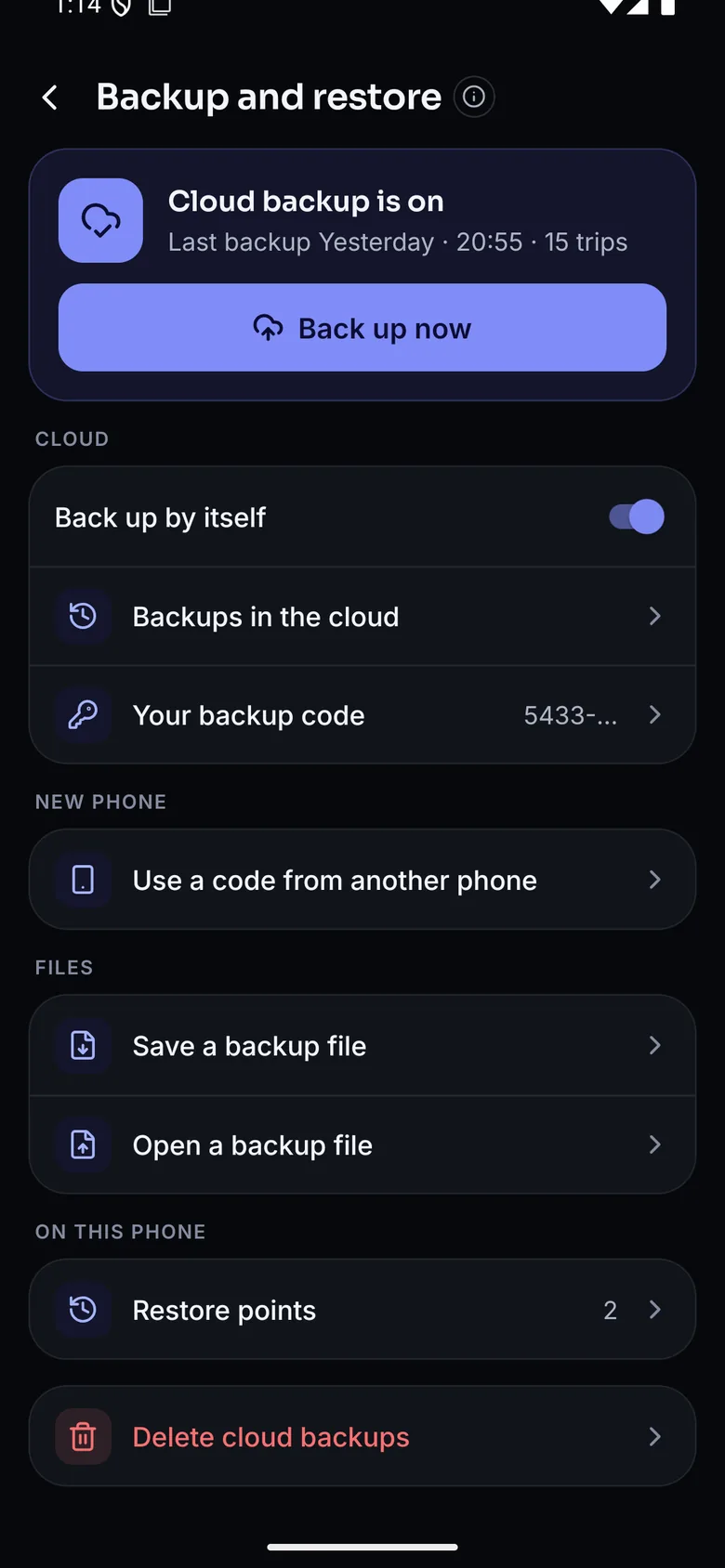
Cloud backup locked to your own code, backup files and restore points.
Leave it on Auto and it works out the rest.
Auto names the mode from your steady speed and sets the dial to match. Drag along the scale to see where it changes its mind.
68km/h
Auto reads Car, and the dial runs to 160 km/h. On a bus, pick Bus: it travels at a car’s speeds.
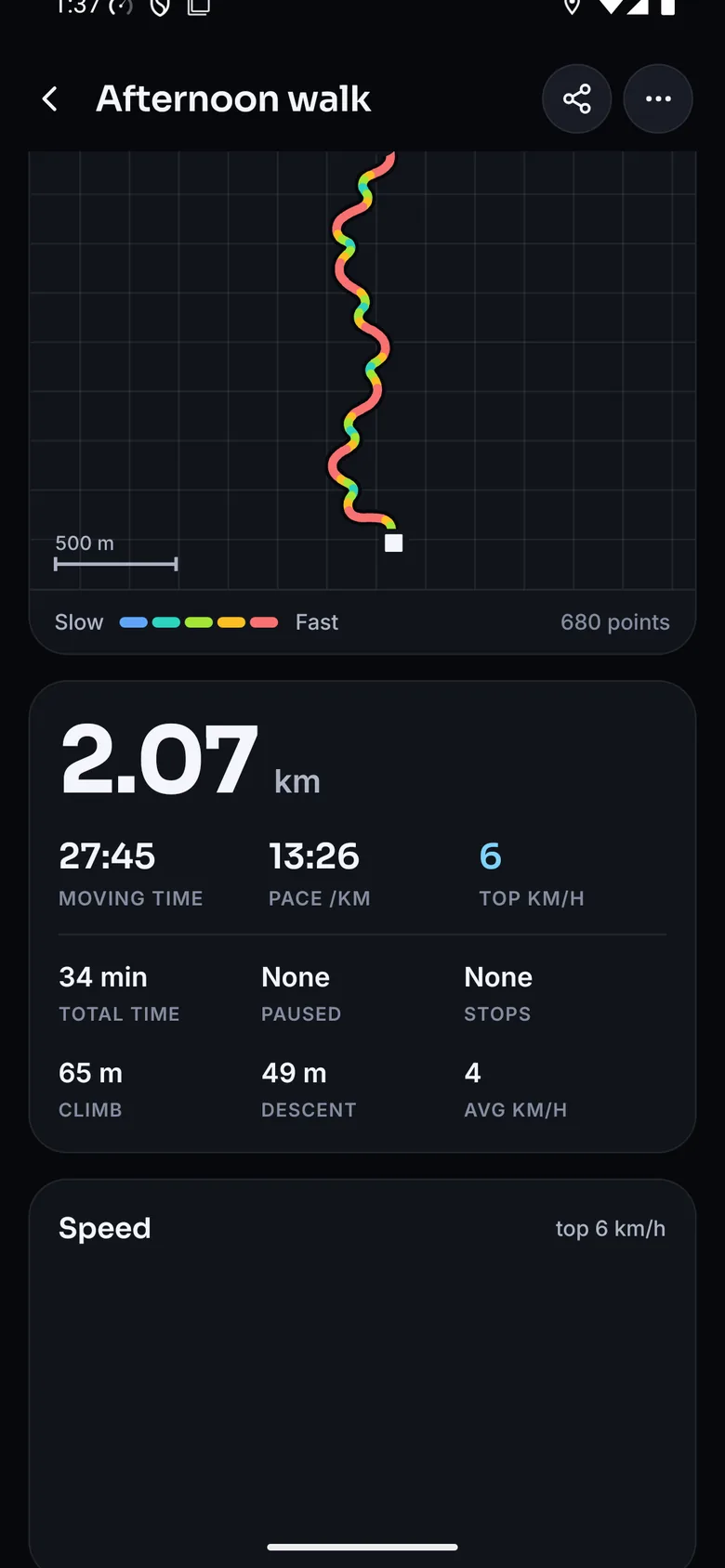
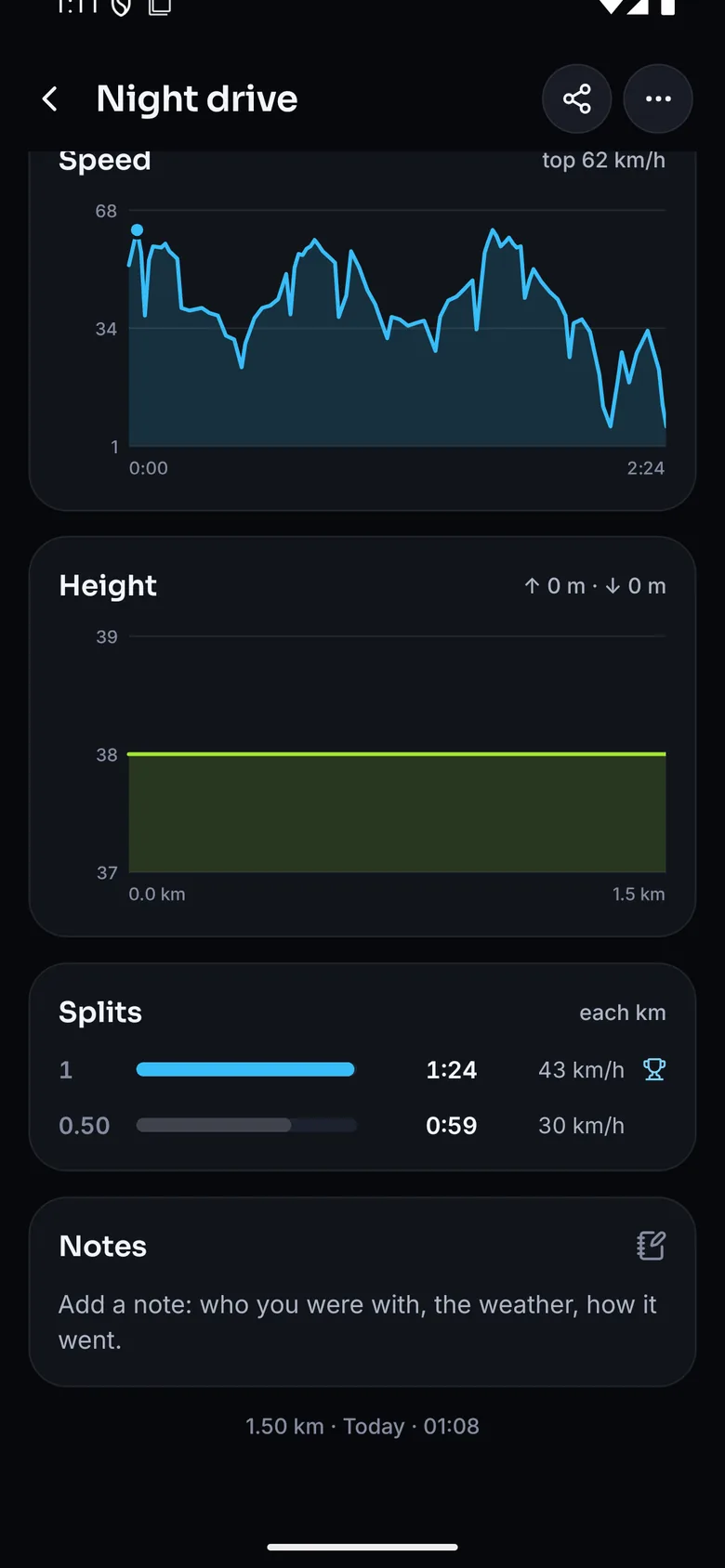
Every trip, taken apart.
Finish a trip and it opens on its route, drawn and coloured by speed from slow blue to fast red. Below it, your speed over time, the climb, every stop, and the time for each kilometre with the fastest one marked.
The route, coloured by speed
Start and finish marked, pauses dashed, a scale bar for size.
Splits, climb and stops
Time for each kilometre or mile, metres climbed and dropped, and how long you stood still.
Stats and records
Your week, month or year, a weekly goal, top speed, longest trip and days in a row.
Yours to take anywhere
Share a trip as a picture, export routes as GPX for map apps, or every trip as a spreadsheet.
Readings you can trust.
Speed comes from the GPS itself. Each reading is blended with the last, so the needle settles instead of jumping; rough fixes are left out, and distance is only added while you are actually moving.
Backups that come back.
Turn on cloud backup and a copy goes by itself after every trip. Lose the phone, get a new one, type your backup code, and every trip comes back with its route.
Locked on your phone
Each backup is sealed with your code before it leaves. Only that code opens it.
No account to make
No sign-up and no password: the backup code is all a new phone needs.
Restore points too
Copies kept on the phone each day and before anything replaces your trips, so a mistake can be undone.
No accounts, no ads, nothing readable leaves the phone.
Location only when it counts
GPS runs on the Speed screen and during a trip, with a notification showing whenever one records.
Backups locked to your code
Your phone locks each backup before it leaves, and only your backup code opens it. The server can’t read a single route.
Awake only for a trip
The screen can stay on while a trip records, then sleeps as normal. Recording carries on with it off.
Installing Wayfarer.
Get it on your phone
On a computer, scan the code with your phone’s camera and the Wayfarer download starts there. Already on your phone? Tap the button.
Download
Get the APK on your phone and open it.
Allow
Android asks before installing from outside the Play Store. Allow it for your browser, then tap Install.
Grant location
Allow location while using the app. It reads GPS for speed and nothing else.
Go
Pick how you are travelling, or leave it on Auto, and tap Start trip.
- Version
- 2.0.0
- Download
- 32 MB
- Units
- km/h, mph, knots
- Price
- Free
On iPhone: No iPhone build yet. Wayfarer is Android only for now. Every release is on GitHub.
Know how fast you are really going.
A speedometer and trip recorder for every way of travelling.